


No single control can be shown to prevent “most cyber attacks” across every organization. A small business reduces opportunities for compromise by combining an inventory of important systems, controlled access, timely updates, and carefully managed remote exposure. It also needs detection, response, and tested recovery, because preventive controls can fail. The useful question is not which product wins a universal contest, but who owns each layer and how the business knows it works.
This guide is an implementation plan for a small organization, not another list of ten tools to buy. If you still need to decide which gap deserves attention first, start with the separate cybersecurity-priority guide. Here, assume you have identified the services that matter and need to turn that choice into repeatable controls.
Define the systems and outcomes before assigning controls
List the business processes that must continue: receiving orders, communicating with customers, paying staff, accessing records, or delivering a service. Under each process, list the systems, cloud services, accounts, vendors, and devices it depends on. Record an accountable business owner and a technical owner where those are different people. You do not need a perfect enterprise inventory before acting, but an unowned critical service is a warning: nobody can prove its access, updates, alerts, or recovery are being maintained.
The NIST CSF 2.0 Small Business Quick-Start Guide asks organizations to understand their mission, assess the impact of losing critical assets, inventory hardware, software, systems, and services, and note owners and access. The framework is voluntary and not one-size-fits-all. Use the inventory to define what a control must achieve for your environment, not to claim compliance from a checklist.
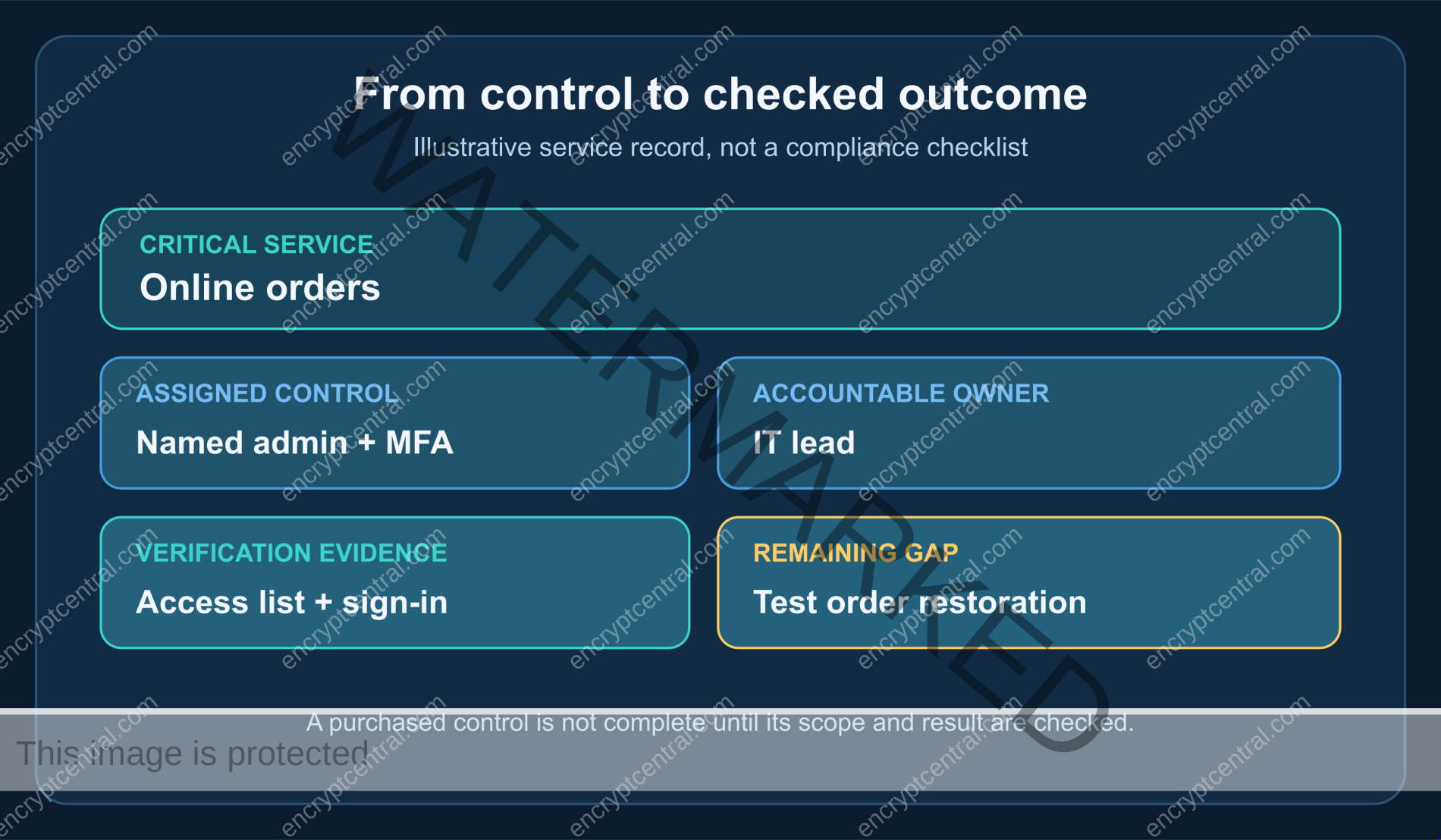
For each critical service, write a plain-language outcome: “Only named administrators can change billing settings,” “the vendor’s security updates are applied and checked,” or “we can restore order records from a known backup.” These are testable statements. “Install a firewall” is an action; it does not say what traffic is allowed, who reviews changes, or what failure it catches.
Use a layered control plan with owners and checks
The table below is a starting map. It is not an empirical ranking of attack types or a schedule that fits every business. Select the rows relevant to your systems, add sector or contractual requirements, and have an owner record the actual verification evidence. Keep credentials, recovery codes, and sensitive configuration details out of a broadly shared tracking sheet.
| Layer and purpose | Action to assign | Owner’s verification | Failure this check can reveal |
|---|---|---|---|
| Critical asset and dependency visibility | Record essential services, administrators, vendors, data, and business owners. | Owner reviews the list against current bills, consoles, and operating procedures. | A forgotten service or vendor remains unowned and unprotected. |
| Identity and access protection | Remove shared privileged access where practical; enroll supported MFA and review recovery. | Review named access, enrollment, and a controlled sign-in and recovery path. | An old administrator or unusable backup method remains attached. |
| Vulnerability and patch management | Track supported versions, vendor notices, remediation owners, and exceptions. | Record installed version or change evidence, then independently verify the fix. | A ticket closes while the vulnerable system remains exposed. |
| Remote access and configuration | Identify external entry points and restrict them to intended users and devices. | Compare current access rules with approved needs and test removal of stale access. | An old account or unnecessary service still permits entry. |
| Detection and reporting | Route meaningful security alerts and staff reports to a named responder. | Run a safe test notification and confirm receipt and escalation. | Alerts exist but nobody reads or acts on them. |
| Response and recovery | Document who decides, who contacts providers, and how critical data and services are restored. | Walk through a scenario and restore representative data in a controlled test. | A backup exists but is incomplete, inaccessible, or too slow for the business. |
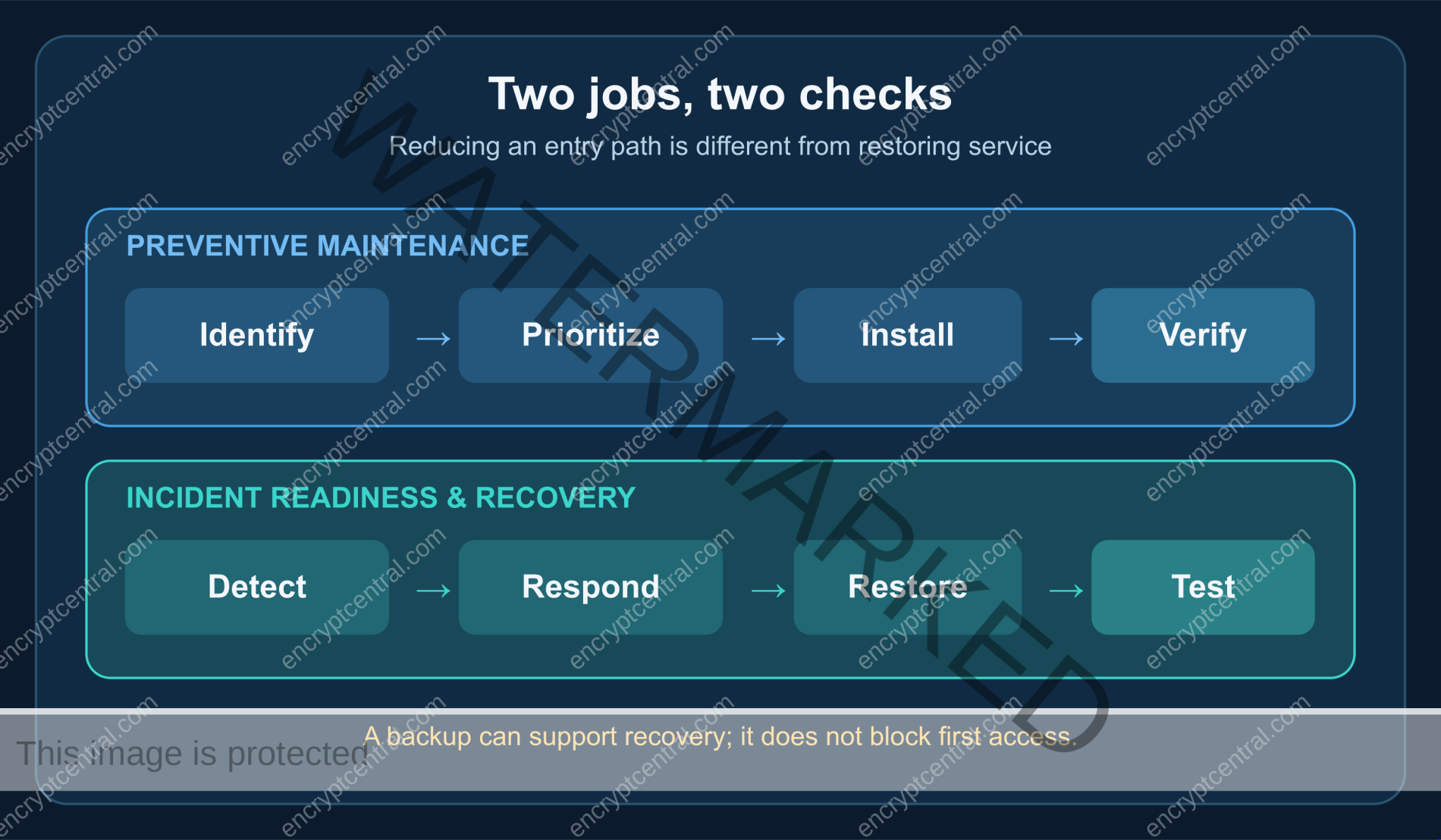
Some rows lower the chance of initial compromise; others shorten the time to detect an event or limit its consequences. That distinction matters. A backup is valuable because it can help restore operations, not because it blocks a stolen administrator password. NIST’s CSF 2.0 covers Govern, Identify, Protect, Detect, Respond, and Recover precisely because risk management extends beyond prevention.
Protect access to the systems that control the business
Start with the identity provider, email administration, cloud consoles, payment administration, backup administration, and remote-access systems. Review who has privileged access and why. Replace shared administrator use with named access where the service supports it, remove former staff and unnecessary vendor access, and make the process for requesting temporary privilege explicit. A permission review is not complete because an account exists in a spreadsheet; compare it with the service’s current access list.
Use unique credentials and available multifactor authentication. NIST’s small-business guide recommends MFA for accounts that offer it and highlights accounts with sensitive access. The method and recovery options differ by service, so follow the provider’s instructions and check an actual controlled sign-in. Do not assume every account supports the same passkey, security-key, or authenticator workflow. The password-creation guide covers a repeatable credential method; the account-protection guide covers phishing and recovery. This organizational plan should not duplicate either one.
Protect the recovery route as carefully as the everyday login. If a single employee’s phone, email inbox, or vendor contact is the only way back into a critical service, write down a safe backup path and verify that authorized people can use it. Do not circulate recovery codes with the general control tracker. Revisit access when roles change, a vendor engagement ends, or an unexpected sign-in is reported.
Make patching a complete process, not an open ticket
Vulnerability management begins with knowing what software and services you run. For each important system, identify the vendor, supported version, update mechanism, exposure, and person who can authorize a maintenance window. Pay special attention to internet-facing services and systems that hold privileged access or sensitive data, but do not assume a generic severity score alone determines your exact order. Business impact and whether the system is exposed also matter.
NIST SP 800-40 Rev. 4 defines enterprise patch management as identifying, prioritizing, acquiring, installing, and verifying patches, updates, and upgrades. For a small team, a lightweight register can capture those steps: vendor notice, affected asset, decision, assigned owner, target date, installation record, verification, and any temporary exception. A request to a provider is not verification that the provider completed the work. Ask for the version or other evidence appropriate to the service, then check that the vulnerable path is no longer present.
Some changes cannot be applied immediately. Record why, who accepted the delay, what exposure-reducing measure is in place, and when the decision will be revisited. An unsupported product with no fix may require replacement or isolation rather than an indefinite “patch pending” label. Avoid stating that every update is risk-free or that automatic updates alone cover all managed systems; testing and maintenance needs vary.
Review remote access as an entry path
Remote work is often necessary, but every remote path should have a defined purpose, authorized users, supported client devices, and a way to revoke access. Inventory VPN, remote desktop, cloud administration, vendor-support access, and any direct management interfaces. Confirm which are reachable from the internet and whether they still need to be. A technology name is not a security proof: a VPN can be misconfigured, an old vendor account can remain active, and a protected gateway can still lead to an overprivileged session.
NIST’s final remote-access guide recommends securing both remote-access technology and client devices against expected threats. It does not say that buying one particular product solves the whole problem. In a small organization, a practical check is to compare the approved user list with the actual service configuration, test that a removed account no longer enters, inspect the device requirements the service can enforce, and confirm where failed or unusual access attempts are reported.
Network segmentation, firewalls, and endpoint protection can contribute to this layer, but their value depends on configuration and coverage. Avoid a long catalog of firewall and antivirus types that leaves readers without an owner or a test. Ask instead: Which traffic or behavior should be blocked or detected? Where is that rule configured? Who receives an alert? Can a safe test demonstrate the rule without disrupting production?
Make detection and response usable by people
A log is not a response capability. Choose a small set of events that would matter for your critical systems—unexpected privileged access, a disabled MFA setting, a suspicious vendor notice, or a failed backup job—and decide who receives them. Staff also need a low-friction way to report a suspicious message or unexpected sign-in without being blamed for raising a false alarm. Test the path with a harmless example and confirm the named person received it.
Document a brief incident decision path: who can isolate a device, who contacts the provider, who preserves records, who informs leadership, and when qualified external help is needed. NIST SP 800-61 Rev. 3 frames incident response as part of broader cybersecurity risk management, including preparation, detection, response, and recovery. A small organization does not need to claim a full security operations center; it does need named authority and a way to act when something real is reported.
Do not wait for an incident to discover that a key contact has left, an alert mailbox is unmonitored, or a service provider’s emergency number is unknown. A short tabletop discussion can expose those gaps. Record the action taken afterward; a practice conversation without correction is only a meeting.
Test recovery instead of counting backup jobs
Backups reduce the impact of data loss or system damage when the copies are protected and can be restored. They do not prevent the first intrusion. Identify the data and configurations needed to restart each critical process, where copies are kept, who can access them, and what a realistic restoration would require. Consider what happens if the everyday administrator account or primary cloud service is unavailable.
NIST’s small-business guide specifically pairs backing up data with testing backups. Choose representative files or a non-production environment and perform a controlled restore. Confirm the restored data is usable and note how long the exercise took. Then compare that result with the business’s tolerance for interruption. A green “backup succeeded” notification is not the same as verified recovery, and a test of one file does not prove every system can be rebuilt. State the scope of the test honestly.
Run a first implementation cycle and verify it
Start small enough that the team can finish and check the work. Choose one critical service, identify its owner and dependencies, then select the most consequential current gap. Record the control, the person who can change it, the person who will verify it, and a fallback if the change fails. After the test, update the record with what was actually observed. If the evidence disagrees with the planned result, keep the item open and investigate rather than reporting success.
- Inventory the chosen service: business purpose, data, administrator, vendor, remote entry points, and recovery dependency.
- Check access: compare named users with actual privileges; confirm MFA and recovery enrollment where available.
- Check maintenance: confirm supported software and update ownership, and verify recent security changes.
- Check signals: make sure a meaningful alert or staff report reaches someone with authority to respond.
- Check recovery: perform a bounded restore or scenario exercise and record what it did and did not prove.
Repeat for the next critical service, adjusting the order when exposure or business impact changes. This sequence is an editorial implementation aid, not a claim that five steps satisfy NIST, CISA, a regulator, an insurer, or a customer contract. Where obligations apply, map the actual requirement and obtain qualified advice.
Recognize the failure modes behind a tidy checklist
- No accountable owner: a policy names a tool but nobody maintains its rules, access list, or alerts.
- Control present, scope missing: MFA is on for ordinary users but not a privileged or recovery account; a patch job covers laptops but not the public service.
- Ticket closed without read-back: a vendor reports an update while the deployed version or exposure remains unchanged.
- Alerts without a route: detections are generated but go to an unattended mailbox or a departed employee.
- Backup without restoration: a copy exists, but credentials, dependencies, or missing data make it unusable when needed.
- Prevention language hiding resilience gaps: an incident plan and backups are essential, but neither is evidence that initial access was blocked.
What actually makes the plan stronger
The strongest practical defense is not a single product or a claim to stop “most” attacks. It is a set of controls matched to the organization’s important systems, owned by real people, and checked against observable outcomes. Use the critical-service map to choose what matters; protect identities and exposure; keep systems maintained; route signals; and prove that response and recovery work within the limits tested. Then revisit the evidence as systems, vendors, and threats change.