


Disabling an employee account is an important offboarding action, but it is not proof that every route to company information has stopped working. Applications can maintain their own sessions, a person may know shared credentials, and business data can remain on a device. The useful question is not simply whether the account is disabled. It is which access paths existed, what action closed each one, and what evidence supports that conclusion.
This employee offboarding access revocation checklist is a proposed operating workflow, researched against Microsoft documentation on October 19, 2026. It is not a tenant test, legal advice, or a promise of instant revocation. Have your identity, application, human resources, and data owners adapt it to their systems and obligations before use.
What verified employee offboarding means
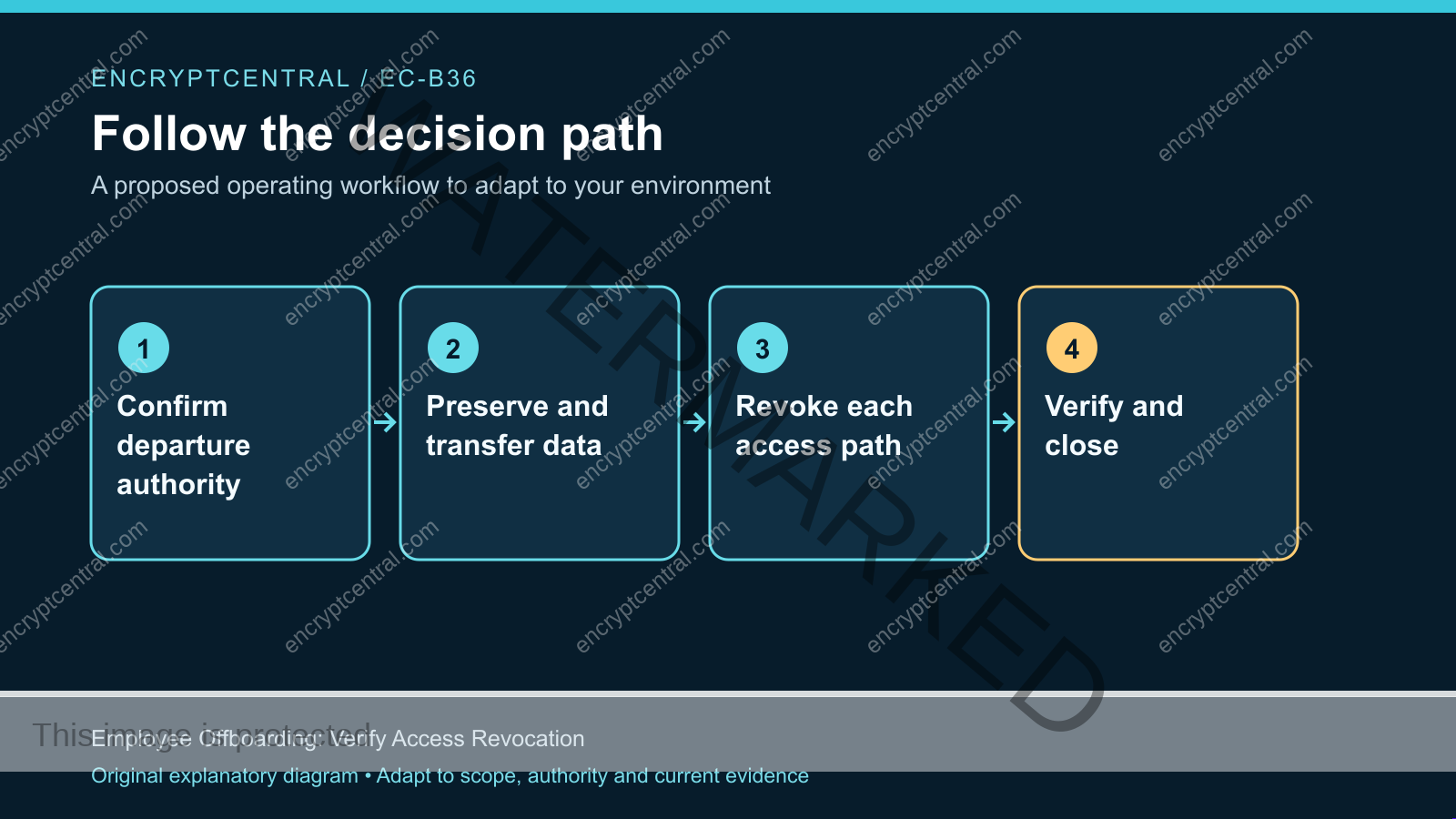
Verified offboarding combines an authorized departure event, controlled access removal, required data preservation, and a closure record. The record distinguishes completed actions from remaining uncertainty. A disabled identity, an application administrator’s confirmation, and a recovered laptop answer different questions; none should silently substitute for the others.
Microsoft’s former-employee guidance covers access prevention alongside mailbox, file, device, and account handling. Its access-revocation documentation explains why application behavior matters: an application can issue and control its own session. Do not promise that one identity action immediately invalidates every application cookie or removes previously downloaded information.
A practical closure statement is bounded: the listed identities were blocked, the named application sessions were addressed, shared credentials were handled, business ownership was transferred, and exceptions have owners. That is more informative than a single green checkbox labeled “terminated.”
Start with departure authority and a coordinated time
Use an authoritative request from your approved personnel process. Confirm the correct person and immutable identity identifiers rather than matching a display name. Record the effective departure time, time zone, request approver, coordinator, and escalation contact. Keep sensitive employment details out of broadly visible technical tickets.
Choose a coordinator who can see the dependencies across teams. Human resources determines the authorized personnel event; technology owners execute their portions; legal or records owners resolve preservation requirements where applicable. The coordinator should not infer a data-deletion instruction from a request to remove access.
For a planned departure, prepare the inventory and handover before the effective time without prematurely changing access. For an urgent security concern, use the organization’s incident process and obtain appropriate authority for containment. An operational checklist does not authorize covert monitoring, device searches, or access to private material.
Agree how teams will communicate if the departing person’s mailbox or chat account is normally part of the approval chain. A process that requires that account to approve its own removal has a dependency to fix before execution.
Build an access map rather than an account list
Begin with the central identity, but extend the inventory to the systems that accept it. Include workforce directories, privileged accounts, guest identities, separate administrative accounts, external collaboration tenants, VPN access, remote support tools, and applications with independent local logins. Record aliases and account identifiers so the same person is not mistaken for several unrelated users.
For each application, ask how it authenticates and how its sessions end. A federated login may still lead to an application-issued session. A locally managed account may remain usable even after the central directory is blocked. Record the application’s administrator and supported revocation procedure instead of assuming the identity team controls both layers.
Add noninteractive access: personal API tokens, developer access tokens, SSH keys, automation credentials, recovery methods, and ownership of service integrations. A credential named after an employee may actually run an important business process. Identify the process and replacement owner before removing it, unless authorized containment requires immediate interruption.
Finally, map shared accounts, password vault membership, physical access, managed devices, and local data. Device recovery and account revocation are separate tasks. A recovered laptop does not prove a cloud session on another device ended; a blocked account does not prove an offline copy was erased.
Preserve and transfer business ownership safely
Determine what the organization needs to retain before deleting identities or releasing licenses. Mailboxes, shared files, calendars, application records, repositories, and automation ownership can have different transfer mechanisms and retention constraints. Use the current workload documentation and your approved records policy, not a universal deletion timetable from a generic checklist.
Assign a receiving owner for each business resource. Ask that owner to verify access through their own identity, rather than keeping the departing employee’s password as a handover shortcut. Preserve the distinction between access to a business resource and unrestricted access to a former employee’s historical communications.
For operational integrations, record a controlled ownership change. Update contact addresses, billing notifications, recovery contacts, and approval routing where appropriate. Confirm that the replacement can actually perform the required task. Merely editing an owner field is not sufficient if the underlying credential or vendor account remains personal.
When preservation and security needs conflict, escalate the specific decision. Record whether access must stop now while deletion waits, who approved that arrangement, and which team protects the retained material. Avoid making an irreversible cleanup action the default response to an ambiguous request.
Execute identity and application revocation as separate steps
At the authorized time, apply the supported central identity controls. Depending on the environment, this may include blocking sign-in, disabling synchronized accounts at the correct source, revoking supported sessions, removing privileged memberships, and addressing additional identities. Record the command or administrative action, its result, and the target account identifier.
Then follow each application’s supported process. End sessions where the application provides that capability, remove or disable the local account, and revoke application-specific tokens. Ask the administrator what remains valid, for how long, and under which conditions. If documentation is unclear, record uncertainty and obtain vendor guidance instead of inventing an immediate-expiry guarantee.
Remove unnecessary group and role memberships without losing the evidence needed to explain prior access. Where a staged deletion process is required, ensure the retained identity cannot still authenticate through an overlooked path. An object that remains for records purposes should not be mistaken for an active employee.
For Microsoft 365, follow the current tenant and workload instructions for the exact account type. Hybrid synchronization, external accounts, and application-managed sessions require different handling. Our Microsoft 365 baseline provides broader context, but this departure record should contain the specific actions and results.
Handle shared secrets and automation without hiding disruption
Identify shared credentials the employee could access, including credentials in exported vaults, deployment systems, and team documentation. Removing vault membership stops future vault access; it does not make a previously copied password unknown. Assess rotation through the approved process, including dependent services and an owner who can verify the change.
Separate human credentials from workload credentials. Replace personal tokens used by automation with an approved organizational identity where the platform supports it. Limit the replacement to its actual job. Do not preserve an employee account indefinitely because nobody knows which scheduled job uses it.
Use a small dependency register for each rotation: secret identifier, consuming systems, replacement owner, deployment sequence, rollback conditions, and verification result. Never paste the secret itself into the offboarding ticket. If an urgent rotation interrupts service, record that consequence explicitly and route recovery through the designated owner.
Broader controls such as third-party access reviews can reduce future cleanup work. They do not replace this employee-specific inventory or justify assuming that all access was already minimal.
Verify revocation without impersonating the employee
Prefer administrative state, supported session controls, audit records, and approved test identities. Do not casually sign in as the departing person using a recovered password. That can create new sessions, confuse attribution, expose unrelated information, and undermine the evidence you are trying to preserve.
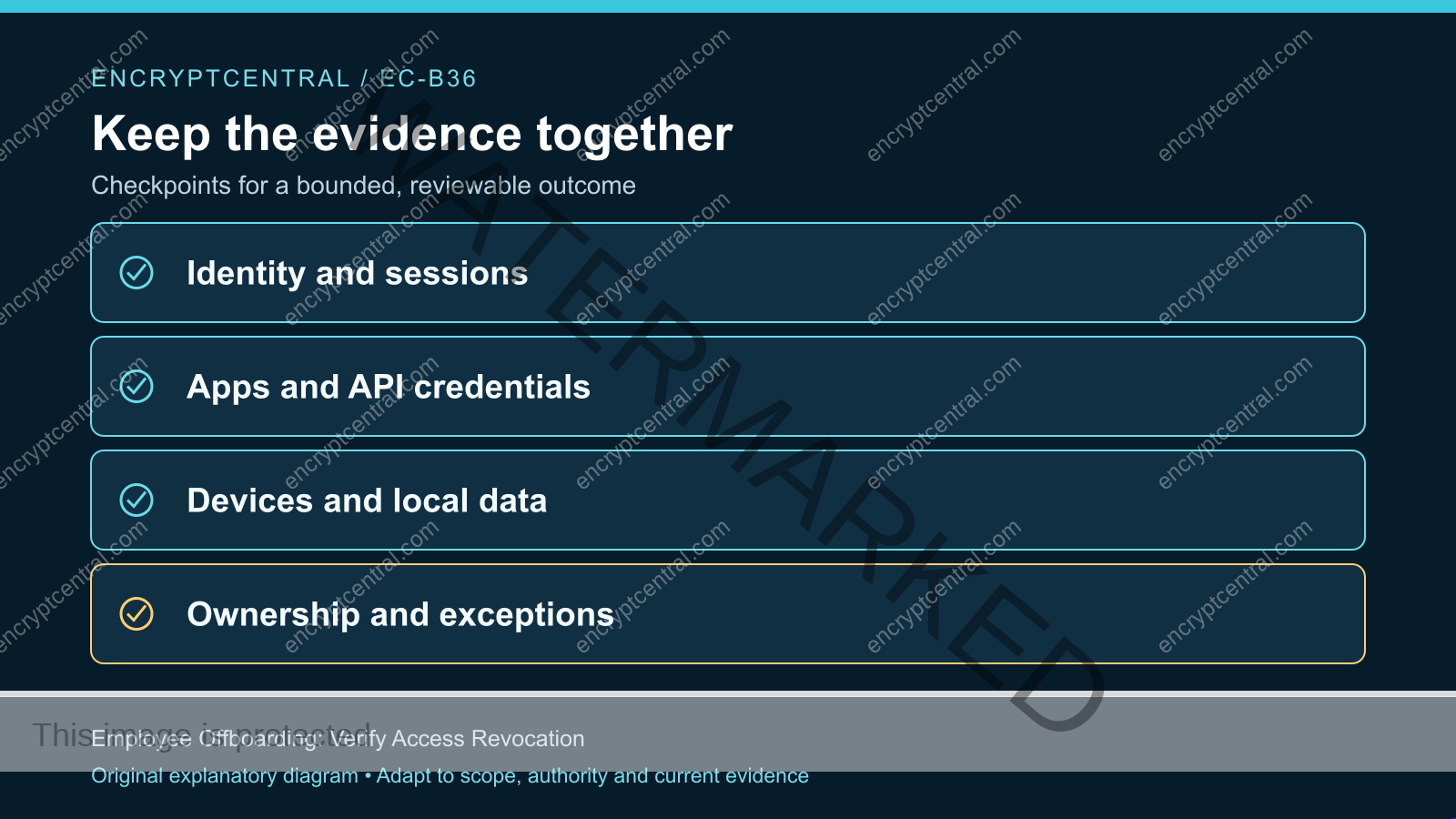
For each access path, record expected and observed results. A directory might show sign-in blocked; an application might confirm its own sessions terminated; a repository might show the personal token revoked. Capture timestamps and relevant identifiers, keeping screenshots or exports in an appropriately restricted evidence location.
Distinguish a configuration check from a behavioral test. A disabled flag proves the saved state of that control, not every downstream outcome. A controlled test can demonstrate a supported behavior under specified conditions, but it cannot prove the absence of every unknown device, copied file, or previously issued session.
Review recent authorized audit evidence for activity after the effective time. Treat a suspicious event as something to investigate through the security process, not automatic proof of wrongdoing. Token timing, automated jobs, and delayed logging can complicate interpretation. Preserve the event details and document the explanation or escalation.
Failure modes that leave the checklist falsely complete
Deleting too early. The team removes the identity before transferring required business resources or resolving preservation needs. Prevent this by making deletion a separately approved stage with explicit prerequisites.
Closing only the central account. Application-managed sessions, local accounts, and personal tokens are never reviewed. Prevent this with one row per access path and a named application owner.
Rotating a shared secret without its consumers. The old secret is invalidated, but a production integration silently fails. Include deployment and service verification, or document the accepted interruption when immediate containment takes priority.
Claiming remote deletion proves no copies remain. A device-management result has a defined scope and may depend on connectivity or enrollment. State the actual result and unresolved local-data risk without promising universal erasure.
Using silence as evidence. No complaint arrives, so the coordinator marks everything complete. Require affirmative results from the owners responsible for access, business handover, and exceptions.
A closure record the next reviewer can understand
Use one compact record containing the departure authority, effective time, covered identities, resource handovers, completed revocation actions, evidence references, and remaining exceptions. Each exception needs an owner, reason, compensating measure where appropriate, and a date for the next decision. An unresolved application session should remain visible rather than disappearing into a narrative summary.
Have the coordinator reconcile missing responses before closure. Separate “access removal complete within listed scope” from “all retained data disposed of” and “device returned.” These can finish at different times. If a security concern emerges, connect the record to the relevant insider-risk process without treating every departure as an incident.
Frequently asked questions
Does resetting the password end every session?
Do not assume so. Session behavior depends on the identity system and application. Follow supported revocation procedures and document application-issued sessions separately. Previously downloaded data is a different issue again.
Should we delete the account immediately?
Not automatically. Prevent unauthorized access promptly under the approved process, while separately deciding retention, resource transfer, licensing, and deletion. The correct order depends on the workload and applicable organizational requirements.
Can the checklist guarantee that no access remains?
No. It can provide evidence for a defined inventory and surface unknowns. Be explicit about unmanaged devices, unrecorded accounts, offline copies, and application limitations rather than issuing an absolute assurance.
Start with one departure and trace every known path
Choose one authorized offboarding case, map its identities and applications, and require a result for each path. Preserve business data through approved handovers, verify the controls you actually applied, and assign every unresolved exception. The objective is a defensible closure record, not a fast checkbox that conceals remaining access.