


An OAuth app consent audit asks which applications hold access, what that access permits, who owns the business need, and whether the grant should remain. Review delegated permissions and app-only permissions separately, use supported revocation methods, then read back the saved state and test the intended workflow. A future consent policy does not answer every question about permissions already granted.
This guide focuses on Microsoft Entra and Microsoft 365 application access. It proposes an audit process based on official documentation checked on October 19, 2026. We did not inspect a tenant, revoke a grant, or test a customer application. Technical review is pending; administrators should verify current roles and commands for their environment before making changes.
Understand the authority an application holds
An application can reach business information through permissions that deserve their own inventory. A user may recognize the application’s name without understanding its current access. A familiar publisher or an old approval does not establish that the same permission remains necessary today.
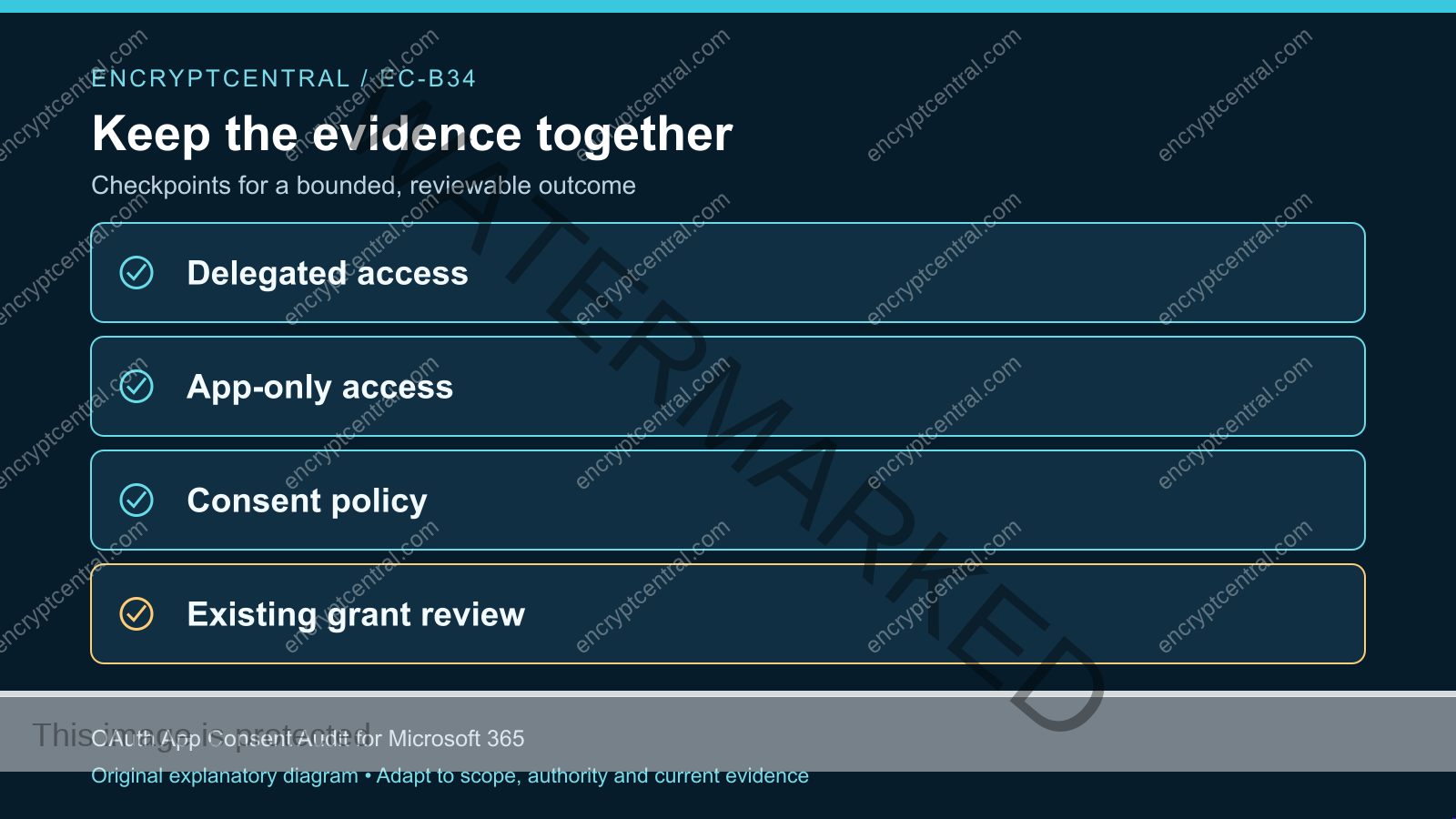
Microsoft’s permissions overview distinguishes delegated access, where an application acts for a signed-in user, from app-only access, where it acts under its own identity. Those scenarios have different authorization implications. Record which one you are reviewing before interpreting the grant.
The Microsoft 365 baseline provides broader tenant context. This audit goes deeper into the individual grants and their business owners. It should produce decisions about actual access rather than another general policy statement.
Set a bounded first audit
Choose a manageable scope, such as applications that reach one sensitive workload or apps without a current owner. Define the tenant, relevant application types, evidence location, reviewers, and authority for changes. Keep an inventory of what is outside the first pass so the result does not imply complete coverage.
Start read-only. Identify the fields available from supported administrative views or APIs and the roles required to retrieve them. Do not grant a reviewer broader rights merely for convenience. If information is unavailable, record the gap and assign the appropriate administrator to resolve it.
Preserve the initial inventory with a timestamp. It becomes the baseline for comparing decisions and saved changes. Store it under suitable access controls because application identities, permission details, and business relationships can reveal sensitive architecture.
Build a grant register that supports decisions
For each reviewed application, record its stable application and service-principal identifiers, display name, publisher information, permission type, resource, granted permissions, and the scope of the grant. Use identifiers to avoid confusing two similarly named applications.
Add business fields: the service it supports, accountable owner, technical maintainer, data involved, criticality, and review date. Identify whether it is an employee tool, supplier integration, backup process, administrative utility, or automation. The same broad permission can create different operational dependencies in those scenarios.
Record the evidence behind usage claims. A business owner may say an app is unused, while a scheduled job still depends on it. Treat that statement as an input to investigate. Conversely, an observed sign-in does not explain whether every permission currently granted is required.
Review one permission against one business job
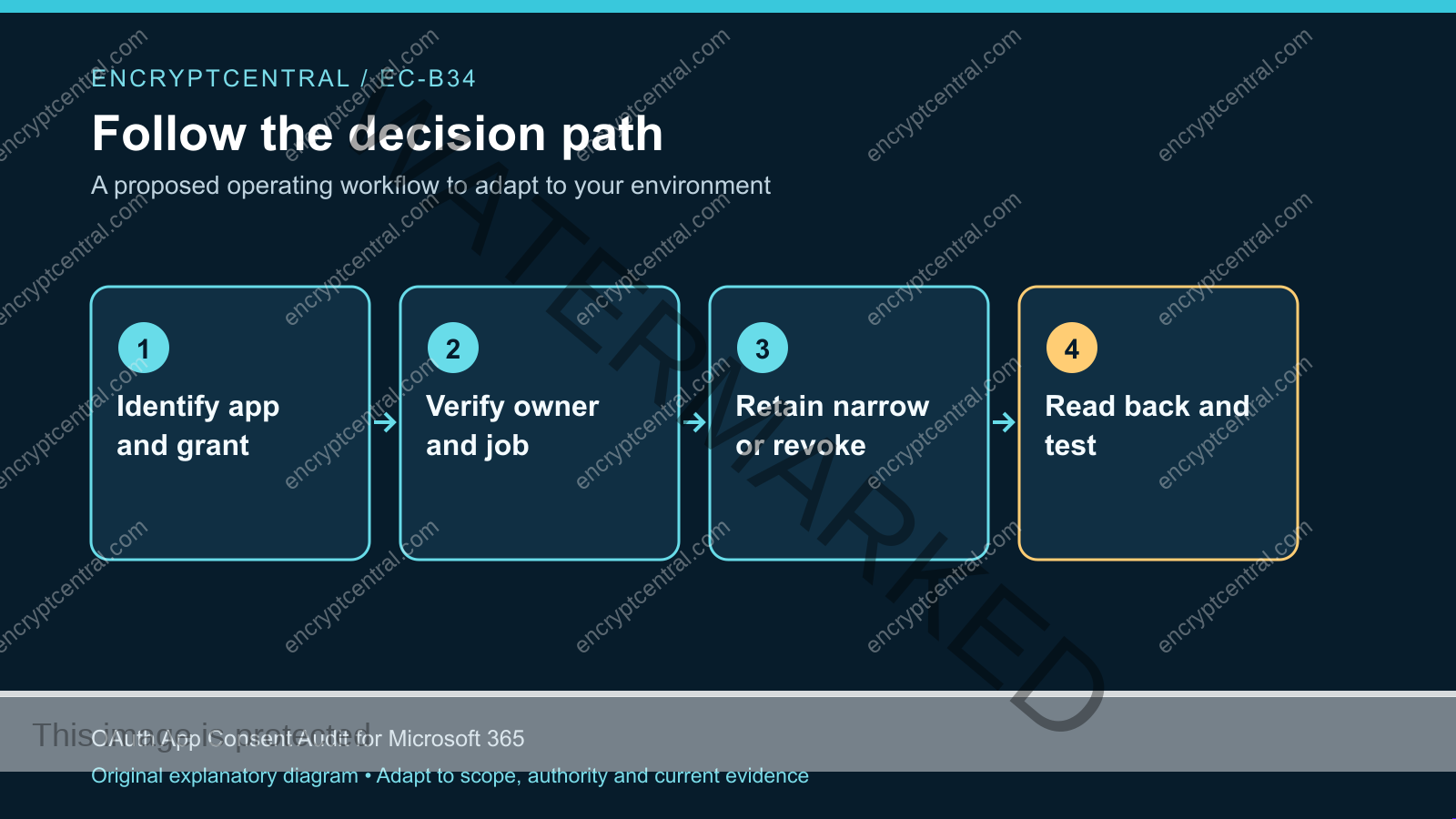
Ask the owner to describe the task in plain language. What information must move, who initiates the work, and which result is required? Then compare the job with the resource and permission set. Identify unnecessary access, uncertain access, and dependencies that need a controlled test.
A hypothetical calendar integration might need to read availability for a defined workflow while holding broader permissions from an older deployment. The review should establish the supported minimum for the current application and its configuration, rather than assume a permission can be removed without affecting the product.
Classify the decision as retain, narrow, revoke, or investigate. Include the reason, evidence, approver, and next review point. “Retain” should name the job and owner. “Investigate” should name the missing fact and a person responsible for finding it, rather than becoming a permanent exemption.
Separate policy for new consent from existing grants
Microsoft documents tenant user-consent settings that govern when users may grant application permissions. The documentation recommends restricting user consent to apps from verified publishers. A verified publisher signal should be part of a broader review of the requested access and business purpose, not a substitute for it.
Document the desired request path for applications that need review. A blanket restriction without a working approval route can delay legitimate work and encourage unmanaged alternatives. Name who evaluates the request, what evidence is required, and how an approved integration is entered into the inventory.
Keep the existing-grant audit as a separate workstream. When a policy changes, compare the saved setting with the intended result and assess existing applications explicitly. Do not report all previous access as removed solely because the rule for future requests was tightened.
Prepare revocation as a controlled change
Identify the exact grant to change and the workflow that may be affected. Obtain the organization’s required authorization, notify the relevant owner, and agree on a test window, evidence, and recovery route. A suspected active compromise may require the incident process rather than a routine audit change.
Microsoft’s permission-management documentation distinguishes admin-consent and user-consent handling. In particular, the portal does not provide direct revocation from the User consent tab; the documented Graph or PowerShell paths address those cases. Check the supported operation for the specific grant rather than applying a similarly named control.
This guide deliberately does not supply a bulk deletion script. A script that removes every grant can break unrelated services and make evidence harder to interpret. First make the decision concrete: which identifier, permission, resource, and scope should change, and what should remain?
Read back the grant and test the workflow
After the approved change, retrieve the application and grant state again through the supported interface. Compare stable identifiers and permission details with the expected result. A success banner establishes that an operation was accepted; the read-back establishes what is saved.
Then test the relevant workflow with harmless data. Confirm the intended allowed action still works if the access was narrowed, or that the retired path no longer performs the selected operation if it was revoked. Coordinate token and session behavior with the application owner; do not claim every already-issued credential disappears instantly.
Preserve the observation and its limits. If the application was not exercised, state that only the saved grant was checked. If a downstream service controls a separate session or permission, record that dependency and its owner rather than implying the tenant change closed it automatically.
Include service principals and automation owners
Background integrations are easy to overlook when the audit begins with a list of employee tools. Identify the nonhuman identities involved, their business owners, credential or federation arrangements, and the consequences of failure. Do not assume an employee departure ends an app-only integration.
For each important automation, record where its permissions are defined and how changes are deployed. Include monitoring and support contacts. If a supplier operates it, determine which decisions your organization controls and which require the supplier’s action.
The third-party risk checklist can support that ownership discussion. The practical audit outcome is a named person who can explain and maintain the access, not merely an application entry with a familiar vendor name.
Use an evidence record that can be reviewed later
Retain the initial state, decision, authority, change reference, saved state, workflow result, and remaining uncertainty. Use a stable audit identifier to connect those artifacts. Keep secrets out of the record; the reviewer needs references and outcomes, not live tokens or passwords.
Set review triggers that match the integration. Examples include a changed permission request, a new supplier, a new data source, a departure of the owner, or a material application change. Choose a periodic review cadence for grants that may otherwise remain untouched for long periods.
Report progress by decision quality. Count reviewed grants with current owners, unresolved broad permissions, completed revocations with read-back, and workflows still awaiting verification. A lower application count alone is not proof that important access is controlled.
Resolve conflicting evidence before changing a grant
Suppose an owner calls an integration retired, but the inventory shows recent activity under its service principal. First establish what the activity represents. It may be a scheduled task, a configuration check, a failed attempt, or work performed for a different business owner. Do not infer necessity or compromise from the timestamp alone.
Ask the technical maintainer to connect the event to a documented workflow and the permission it uses. Compare that explanation with the planned business handover. If another team still needs the integration, assign a current owner and evaluate narrowing its access rather than retaining an unexplained historical grant.
When evidence remains incomplete, choose a bounded next step: obtain the missing log detail, run an approved synthetic transaction, contact the supplier, or schedule a controlled interruption with recovery authority. Record the expected answer and the person responsible. This turns “investigate” into a concrete task and prevents the audit from oscillating between indiscriminate revocation and indefinite acceptance of ownerless access.
Have a second reviewer compare the proposed target identifiers with the baseline export before a material change. This catches mistaken application identity without requiring the reviewer to receive tokens, passwords, or unnecessary access to application data.
Audit failures to avoid
Matching only the display name. Similar names can hide distinct application identities. Use the stable identifiers in the change record and saved-state comparison.
Assuming inactivity proves irrelevance. A low-frequency recovery or reporting job may still be needed. Confirm the business purpose and operating schedule before retiring it.
Equating publisher verification with least privilege. A legitimate application can request access broader than the job requires. Review both provenance and permission scope.
Revoking first and discovering ownership during the outage. Routine cleanup should include dependency review and a controlled test. Urgent containment should follow the incident lead’s authority and evidence-handling process.
Questions during the first consent review
Should we remove every application without an owner?
Start by treating ownerless access as an unresolved risk. Investigate dependencies, assign a decision authority, and plan a controlled change where appropriate. An immediate blanket action can disrupt important work without explaining which permission caused the problem.
Does MFA protect an overprivileged application?
MFA protects particular authentication paths. It does not replace reviewing what an application is authorized to do. Keep authentication, application permissions, and downstream data handling as separate questions in the audit.
What is a useful first deliverable?
A small register of actual grants with stable identifiers, business owners, permission types, decisions, and verification plans. Complete one safe change and read it back before expanding the same method across the tenant.
Give each grant a current reason to exist
Choose one workload and review the applications that reach it. Match access with the business job, make a documented decision, and verify the resulting state. Carry unresolved sessions, dependencies, and evidence gaps into named follow-up tasks.
Connect the work with the identity migration guide. Strong authentication and disciplined application consent address different parts of the access model; both need current ownership and evidence.
Related posts:
 Microsoft 365 Security Baseline for Small Organizations
 What Are The Best Practices For Mobile App Security?
 What Is A Security Audit, And Do I Need One?
 What Are The Best Practices For Securing A Database?
 What Are The Security Risks Associated With BYOD (Bring Your Own Device) Policies?
 How secure are network security devices in today’s IT environments?


