


An emergency access account is useful only when authorized staff can use it during the failure that disables normal administration. Build an independent recovery path, protect it with strong authentication, control credential custody, monitor every use, and rehearse a bounded administrative task. A sealed credential that nobody can reach is not a demonstrated recovery capability.
This guide focuses on Microsoft Entra emergency administration and the operational decisions around it. Official documentation was reviewed on October 19, 2026. We did not configure a tenant or test an emergency account. The drill and evidence register are proposed practices; technical review is pending.
Define the access failure you need to survive
List plausible ways your normal administrators could lose access: an identity-provider outage, an unavailable authentication device, an incorrect access policy, or a role-activation dependency nobody can satisfy. Choose a specific scenario before designing the fallback.
Map the dependencies used by normal access. Include identity synchronization or federation, authentication methods, approval workflows, devices, networks, credential storage, and the people authorized to act. Then ask which of those dependencies the emergency route shares.
A different account name does not establish independence. If its credential is stored only in the unavailable tenant or requires the same inaccessible device, it may fail for the same reason. The cloud responsibility guide can help assign the customer-side decisions involved in that recovery path.
Use current Microsoft requirements as the baseline
Microsoft’s emergency-access guidance recommends two or more cloud-only accounts, strong phishing-resistant authentication, carefully managed dependencies, monitored use, and regular validation. It describes permanent active emergency role assignments and explains the need to avoid policy conditions that can block the intended recovery route.
Do not carry forward old advice that treats emergency access as a password-only exception. The current documentation discusses FIDO2 passkeys or certificate-based authentication where appropriate. Verify the current requirements and the configuration supported in your tenant before implementation.
Microsoft’s administrator MFA guidance also points readers toward phishing-resistant methods and staged policy evaluation. Treat policy exclusions as deliberate recovery design decisions with strong protection and monitoring, not a reason to create an ungoverned privileged account.
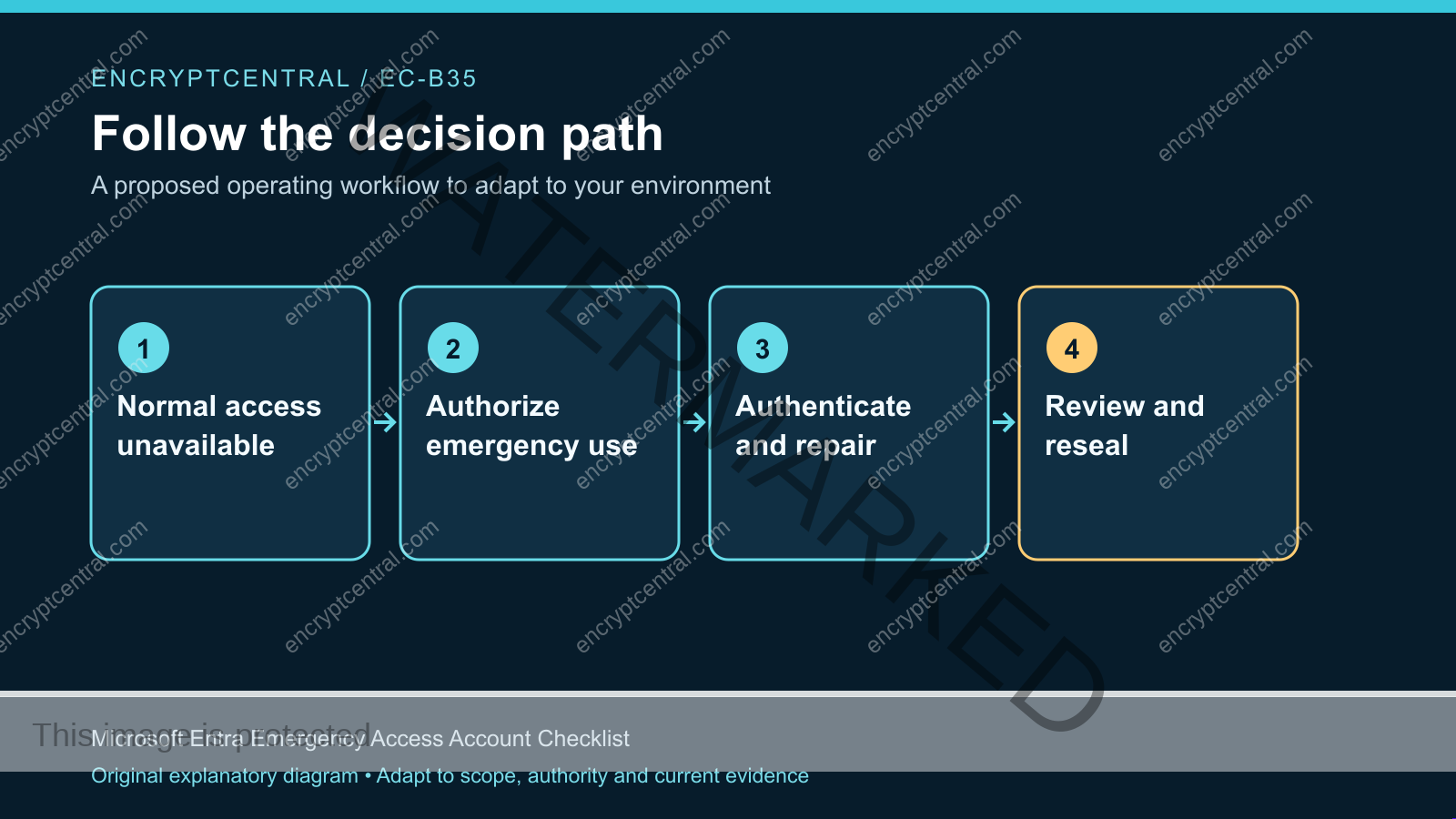
Write an authority and custody record
Name who may authorize emergency use, who may retrieve the credential, who performs the action, and who reviews it afterward. A small team may combine roles, but the responsibilities should remain visible. Include alternates for the people most likely to be unavailable together.
Record where credentials and required devices are held using references suitable for the document’s audience. Do not include the credentials themselves in the runbook. Define how an authorized person proves their identity to the custodian and how retrieval is recorded.
Consider a hypothetical lockout during a building outage. An account may be technically independent of federation yet inaccessible because both authentication devices are inside the same unavailable office. The custody exercise should examine that dependency without publishing sensitive physical details in a broadly distributed plan.
Prepare the administrative task before the drill
Choose a harmless task that demonstrates the required authority without changing a critical production control. The organization should define what counts as adequate evidence and who approves the test. Avoid a drill whose only outcome is a successful sign-in if the recovery objective requires an administrative action.
Document the expected account, role, target environment, workstation, notification, and log record. Record what will be changed, if anything, and how it will be restored. Agree on stop conditions if the account behaves differently from the plan or if monitoring suggests unexpected activity.
The test is not an invitation to deliberately lock every administrator out. Simulate the scenario through a tabletop and verify the emergency path under controlled conditions. A production lockout introduces operational risk without necessarily improving the evidence.
Verify that the path is independently reachable
Have an authorized alternate locate the procedure and required contacts. Check that they can retrieve the approved authentication material through the custody process and reach the designated administration environment. Use an appropriate secure workstation according to the organization’s privileged-access policy.
Record dependencies that still exist. The service itself, a network route, a physical location, or a particular person may remain essential. The objective is an honest dependency map, not an absolute claim that the path survives every outage.
Keep the operational record readable under pressure. Put the trigger, authority, contact route, essential sequence, and stop condition near the beginning. Detailed configuration history can remain linked elsewhere so the person responding does not need to reconstruct the design during a lockout.
Run the access check and trace the alert
Notify the monitoring team about the planned drill under the agreed process, then perform the authorized action. Record the actual identity used and the result. Inspect the corresponding sign-in and administrative audit records rather than relying only on what appeared in the browser.
Confirm that the monitoring route reaches an accountable person through a channel usable in the scenario. An emergency-account alert sent only to the disrupted tenant may fail at the moment it matters. Choose and test an approved alternative where the organization’s risk assessment requires it.
Ask the responder to identify the specific test and expected action. A generic notification test is not the same as proving that the emergency-account activity triggered the intended rule. Preserve the relevant event and case references without copying secrets into the receipt.
Review the account’s effective configuration
Have the appropriate administrator compare the saved configuration with the intended design. Review identity source, role assignment, authentication method, relevant access policies, and account or credential lifecycle rules. Check whether routine cleanup could disable or expire the emergency route.
Use current platform documentation for the details. This article does not provide a universal exclusion list or a copy-paste policy. The design must account for the tenant’s actual controls and the failure the organization intends to survive.
Document exceptions precisely. A recovery requirement may justify a particular policy exclusion, but that decision should identify the account, reason, protection, owner, and review trigger. Avoid broad exemptions copied from another environment without understanding their effects.
Close the drill by restoring custody
After the task, review the activity performed and verify any temporary change was reverted as planned. Return devices or credentials to approved custody and record the completion. Follow the organization’s process for changing authentication material if the drill or an actual event exposed it beyond the intended custodians.
Update the authorized-user list and contact route if the exercise revealed outdated information. Record the first failed handoff, its consequence, repair owner, and follow-up test. Do not close the finding solely because the team eventually found a workaround during the drill.
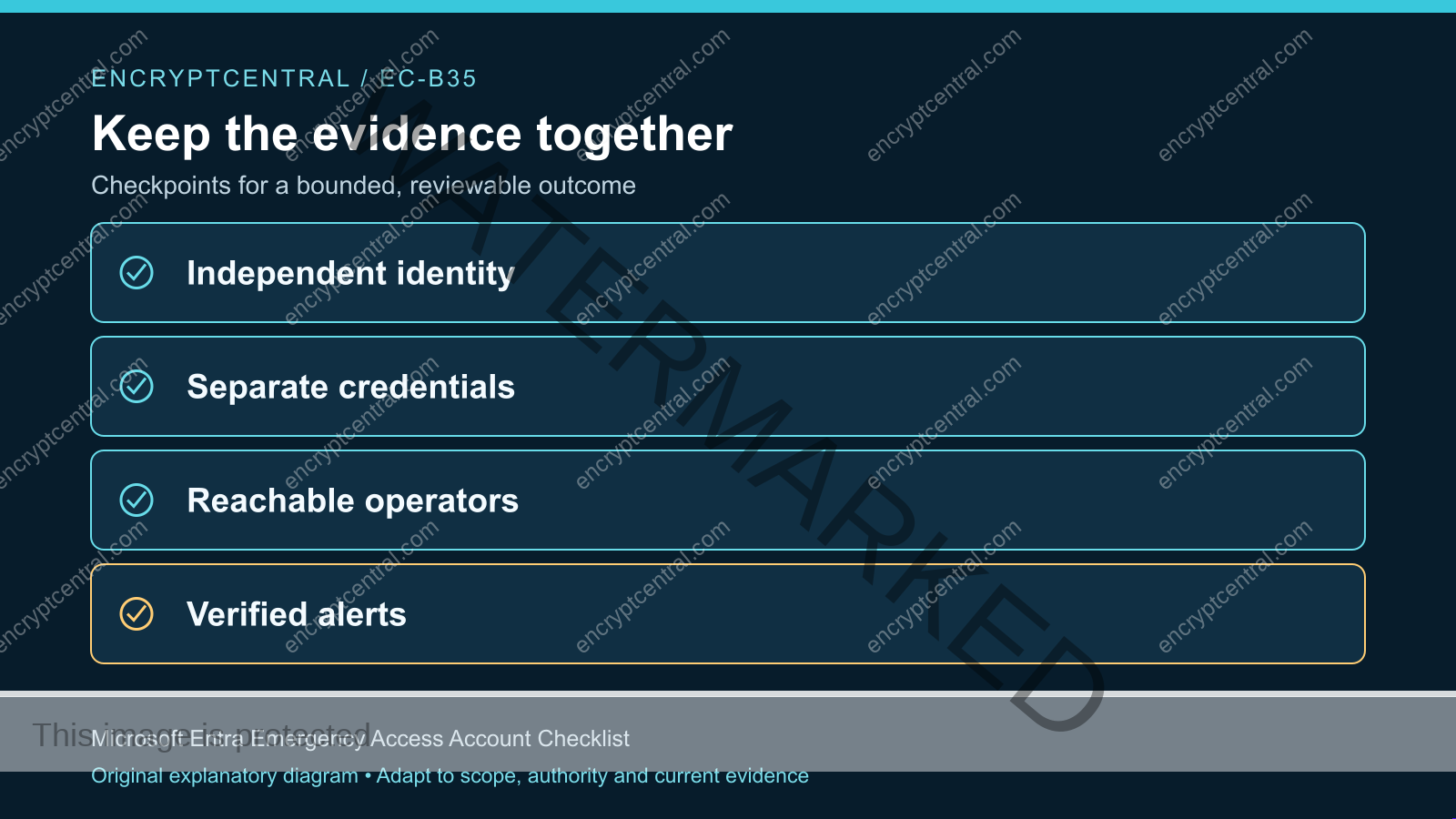
Keep the evidence with the recovery procedure: scenario, participants and roles, authority, tested action, result, monitoring receipt, limits, and repairs. That record allows the next review to determine whether the path remains the same or has materially changed.
Plan for actual emergency use
Distinguish a planned validation from a real event. During an actual lockout, the response lead should record why normal access is unavailable, who authorized emergency use, the permitted objective, and what evidence must be retained. Keep changes bounded to restoring the required administrative capability.
If the event may involve compromise rather than accidental lockout, coordinate with the incident lead. Restoring access and preserving evidence can require different decisions. Do not erase relevant history or broadly weaken controls simply to make the tenant usable sooner.
Afterward, review the actions taken, confirm the normal administration route is trustworthy, remove temporary exceptions, and reestablish custody. Rehearse any repaired dependency before treating the emergency route as ready again. A real successful use is valuable evidence, but its circumstances and limitations still matter.
Rehearse the human handoff as well as the sign-in
Run a tabletop in which the usual lead administrator is unavailable. Give the alternate only the approved procedure and ask them to identify the trigger, authorization contact, custody route, secure workstation, and intended administrative action. Keep real credentials sealed unless the approved drill specifically calls for their use.
Watch where the alternate needs undocumented help. Perhaps the contact list points to a departed employee, the custodian cannot identify the requester, or the monitoring team cannot distinguish a planned validation from unauthorized use. Record those failed handoffs individually. Technical sign-in success does not repair an authorization or communication gap.
For each gap, assign a small corrective action and a focused repeat check. The custodian might need an approved alternate identity-verification route; the operator might need a clearer target identifier; the responder might need an alert that includes the account and relevant event reference. Do not publish sensitive custody details simply to make the procedure convenient.
End by asking the alternate to explain what they would not do. They should know when to stop, when additional authority is required, and why a recovery account must not become a route for unrelated privileged work. This checks the boundaries of the procedure, not only the operator’s ability to follow its successful path. Retain the tabletop result separately from the live account validation so neither is reported as evidence of an action it did not perform.
Common failures in emergency account programs
Normal and emergency paths share one failure point. Inspect federation, devices, networks, approvers, and credential storage. Write down which dependencies are independent and which remain shared.
The credential is secure but unavailable. Test authorized retrieval by an alternate under a realistic scenario. Custody must support both protection and the required recovery capability.
Alerts are configured but never exercised. Trace the actual emergency activity to its destination and confirm the recipient can recognize and act on it.
The account becomes an everyday convenience. Restrict use to the defined purpose and investigate unexplained activity. Convenience use undermines the distinction that makes monitoring and review meaningful.
Questions administrators ask
How often should we validate?
Microsoft’s current emergency-account guidance specifies validation at least every 90 days and after relevant changes. Check the documentation at implementation time and supplement the periodic check with triggers such as staffing, authentication, or policy changes that affect the path.
Can an emergency account replace backup administrators?
No. It is a recovery mechanism for defined situations, not a substitute for normal staffing, least-privilege administration, or documented ownership. Maintain ordinary administrative resilience as a separate responsibility.
What if the first drill fails?
Preserve the failed step, identify the dependency or configuration issue, and assign a repair. Keep the capability recorded as unverified until a focused repeat check demonstrates the required result. Do not create a broad security exemption merely to force a pass.
Make recovery access demonstrable
Choose a lockout scenario, document authority and custody, and rehearse one harmless administrative task through the intended emergency path. Verify both the action and the monitoring receipt, then repair the gaps the drill reveals.
Use the passkey migration guide and Microsoft 365 baseline for related identity work. Keep emergency access tied to a specific recovery need, strong protection, and current evidence that authorized people can use it.